Planning milestones: states, not flags
Milestones are the most misused tool in project planning. In most plans they are evenly spaced flags on a timeline with names like "Phase 2 complete" — and they say precisely nothing.
A milestone is not a point in time. It is a verifiable state at which a decision becomes possible.
The distinction everything hangs on
| Not a milestone | Milestone |
| "Concept phase complete" | "Design signed off by the client" |
| "50 % done" | "All 18 dishes described and checked" |
| "Development underway" | "Booking form accepts real reservations" |
| "Review end of September" | "Opening date confirmed in writing" |
On the left there is an activity or a percentage. Neither can be verified — you can argue about both. On the right there is a state: it has happened or it has not, and two people reach the same answer.
The test is simple: could two people independently determine whether the milestone is reached? If not, it is not one.
How many?
Fewer than you think. For a three-month project, four to six is enough.
The reason is not thrift. Milestones are stopping points where someone looks and decides — and attention is the scarce resource. Twelve milestones in three months means one a week, so none is taken seriously.
Rule of thumb: one milestone every two to four weeks. More often than that is progress tracking, and that belongs on the board, not in the milestone plan.
Where milestones belong
Not evenly spaced. At exactly three kinds of place:
Before an expensive decision. Before money is spent or something irreversible is done. Example: "design signed off" comes before building — after that, a change costs many times more.
After a risky assumption. Wherever the plan rests on a guess, put a milestone that tests it. "The payment provider's API works as documented" is one of those — and you place it early, not late.
Where a handover happens. Whenever work passes from one person or trade to the next. That is exactly where things get lost.
Template to copy
| Milestone | How you can tell | Who confirms | Date | Depends on |
| Design signed off | Client agreed in writing | Ms Berger | Sep 24 | — |
| Content complete | 18 dishes, allergens, 11 photos filed | Tom | Sep 30 | — |
| Booking accepts reservations | Test booking produces confirmation email | Jey | Oct 8 | Design signed off |
| Site is public | Address reachable, old links redirect | Jey | Oct 14 | all above |
Five columns. The second is the most important and the most often left out — and then the milestone is a flag again.
The third column prevents the second most common mistake: a milestone nobody confirms is "roughly reached" two weeks later.
What happens when one is missed
Nothing dramatic — but something definite. A missed milestone demands one of three decisions, and it has to be made within days:
- Move the date. Everything else stays, the whole thing shifts back.
- Cut scope. The date stays, something drops out — said out loud, not silently.
- Add people. Works only early in a project, and rarely as well as hoped.
What is not on the list: carry on and hope. That is the fourth option, the one most often chosen in practice, and it only postpones the milestone to the next one.
A milestone that slips without one of those three decisions was not a milestone. It was a wish with a date.
The buffer belongs at the end
Do not spread buffer across individual milestones. It gets consumed whether it is needed or not — every task expands to fill the time available to it.
Set the milestones without buffer and hang ten to twenty percent of the total duration as one block behind the last one. Then after each milestone you can see how much of it is left — and that is the most honest metric a project has.
In ORBYLOX
Milestones live as calendar events with the confirming person as an attendee — so they get an invitation and know they will be asked.
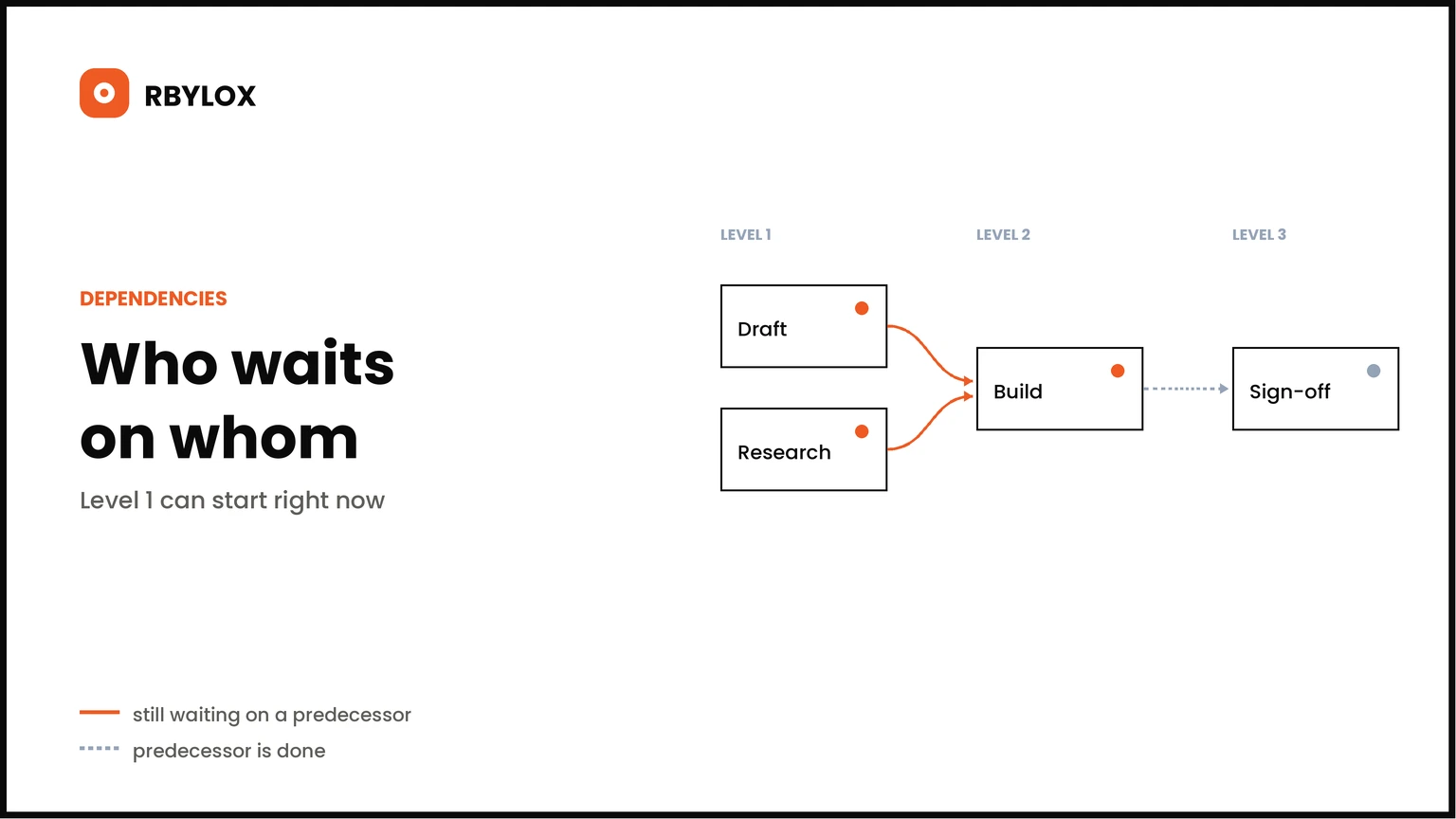
The "depends on" condition is recorded as a dependency on the ticket: the board then locks what is not ready yet, instead of someone starting early and throwing the work away later.
What you do not need is a Gantt chart with forty bars. Four to six verifiable states, each with a name beside it, will carry a project further than any bar graph.